


Новое поступление

Запасной картридж для стилуса C50 C60 C61 CX3100 C 50 60 61 CX 31C-50 | Компьютеры и офис
1 302,64 - 3 846,65 руб.

T028 T029 совместимый многоразовый картридж для принтера epson C50 C60 C61 CX3100 с чипом ARC |
1 343,50 руб.

Картридж для принтера HP 60 60XL hp ENVY 100 110 111 114 120 D410a D410b D411b D411d F2480 F4280 F4480 F4580 |

CISS (Continuous Ink Supply System) for Epson S22 / SX130 SX235 | Компьютеры и офис

Стойка с держателем ленты для aox OS-214 plus OS214 CP-2140 cp-2140M MP-2140 OS-204 OS-214TT A100 A200 Детали
2 052,17 - 18 821,55 руб.

INKARENA 6 Color T0801 Printer Ink Cartridges + 600ml Refill Kits For Epson Stylus Photo P50 T59 R265 270 285 290 360 | Компьютеры и
3 931,50 руб.

ICEHTANK PGI 250 CLI 251 Refillable Ink Cartridge For Canon PIXMA MG5420 MG5422 MG5520 MG5522 MG5620 BK White MG6320 Printer | Компьютеры
1 794,47 руб.

Printer Consumable Supplies Store
Магазина Printer Consumable Supplies Store работает с 28.05.2010. его рейтинг составлет 82.19 баллов из 100. В избранное добавили 995 покупателя. Средний рейтинг торваров продавца 4.3 в продаже представленно 1462 наименований товаров, успешно доставлено 11229 заказов. 657 покупателей оставили отзывы о продавце.
Характеристики
einkshop 22 22XL Ink Cartridge Replacement For hp Deskjet F380 F2100 F2110 F2240 F2280 F2180 F4280 F2250 F4100Printer | Компьютеры и
История изменения цены
*Текущая стоимость 2 487,44 уже могла изменится. Что бы узнать актуальную цену и проверить наличие товара, нажмите "Добавить в корзину"
| Месяц | Минимальная цена | Макс. стоимость | Цена |
|---|---|---|---|
| Mar-04-2026 | 3158.62 руб. | 3221.77 руб. | 3189.5 руб. |
| Feb-04-2026 | 2562.40 руб. | 2613.54 руб. | 2587.5 руб. |
| Jan-04-2026 | 3109.24 руб. | 3171.55 руб. | 3140 руб. |
| Dec-04-2025 | 3084.1 руб. | 3146.89 руб. | 3115 руб. |
| Nov-04-2025 | 2462.66 руб. | 2511.0 руб. | 2486.5 руб. |
| Oct-04-2025 | 3034.8 руб. | 3095.81 руб. | 3064.5 руб. |
| Sep-04-2025 | 3009.51 руб. | 3069.83 руб. | 3039 руб. |
| Aug-04-2025 | 2984.92 руб. | 3044.73 руб. | 3014 руб. |
Описание товара
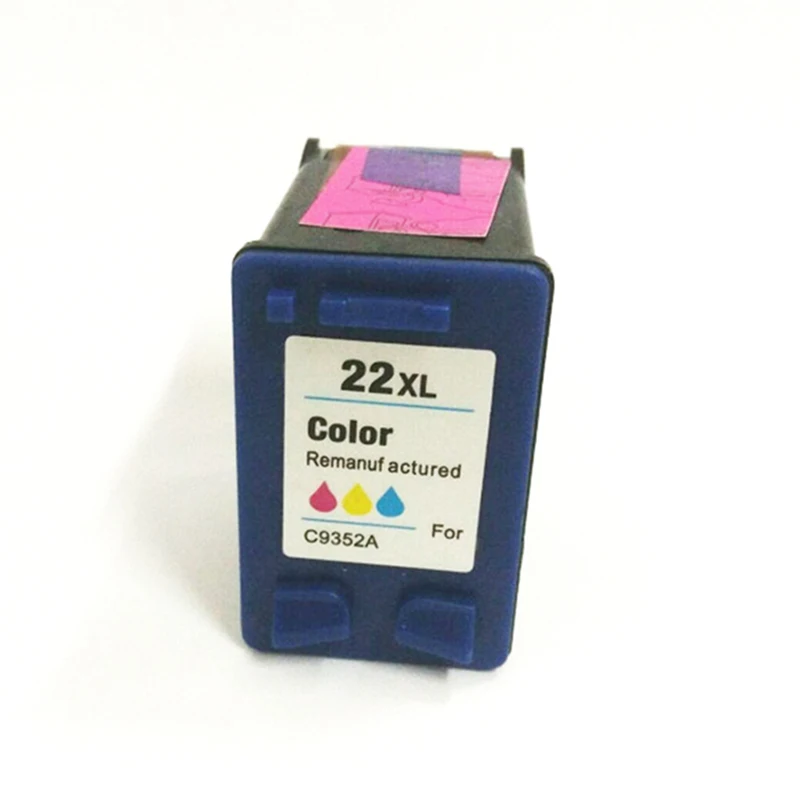
22 22 XL Ink Cartridge Compatible For deskjet F380 F2100 F2110 F2240 F2280 F2250 F4100 3915 3920 Printer
1) Product type: 22 22xl Compatible Ink Cartridge
2) with compatible chip
3) Color: Tri-Color
4) Ink Kind: dye based ink
5) Compatibility use for HP printer as beow:
For DeskJet 3910 3915 3918 3920 3930 3930v 3938 3940 3940v D1311 D1320 D1330 D1341 D1360 D1368 D1415 D1420 D1430 D1445 D1455 D1460 D1468 D1470 D1520 D1530 D1550 D1558 D1560 D1568 D2320 D2330 D2345 D2360 D2368 D2430 D2445 D2460 F2110 F2120 F2128 F2140 F2180 F2185 F2187 F2188 F2210 F2212 F2214 F2235 F2238 F2240 F2250 F2275 F2280 F2288 F2290 F300 F310 F325 F335 F340 F350 F370 F375 F380 F385 F390 F394 F4100 F4135 F4140 F4150 F4172 F4175 F4180 F4185 F4190 F4194 ...
For FAX 1250 3180 ...
For OfficeJet 4315 4315v 4315xi 5600 5605 5610 All-in-One 5610v All-in-One 5610xi All-in-One J3608 J3625 J3635 J3640 J3650 J3680 ...
For PhotoSmart 5610 All-in-One 5610v All-in-One 5610xi All-in-One ...
For PSC 1401 1402 1403 1406 1408 1410 All-in-One 1410v All-in-One 1410 xi All-in-One 1415 1417 All-in-One
Package Content:
1Pcs 22 22xl ink cartridge


、Customer Ask Question :
Question 1
The printer is showing "Low ink level"/ "Empty" /“Red X” / "!"(yellow Exclamation mark), what to do?
It's Normal condition for all re-manufactured ink cartridges that show such information. When you see such information, please Ignore it and Click "OK" or "Close" to continue to print.
For some printer, you can also Press and Hold on the STOP / RESET BUTTON (red inverted triangle button) for 5-10 seconds, the message window will disappear.
If this method can not solve the problem, try chip cleaning as shown in Question 2
Question 2Printer showing "failure / damaged / error / problem...", what to do?
Step 1: Remove the ink cartridge and re-install. If issue still exist, go ahead the setp 2.
Step 2: Turn off the printer, unplug the printer, remove the ink cartridge, wait for a while,
then re-install the ink cartridge and restart the printer.If issue still exist, go ahead the setp 3.
Step 3: Chip cleaning (contact points cleaning)
Clean the ink cartridge chip with eraser, then re-install, see if it will work.(Picture 1)
Clean the ink cartridge chip with an alcohol cotton swab, after 1 minutes, then re-install, see if it will work.(Picture 2 .Picture 3)
Notice :
If all the methods above can not solve your problem, thanks contact us for solution

Question 3. Flashing yellow light, what to do?
Turn off the printer, unplug the printer, wait for a while, and then re-start the printer.
- If the flashing disappear, press "OK", then you can print normally.
- If still flashing, Press and Hold on the STOP / RESET BUTTON (red inverted triangle button) for at least 5 seconds, then release. Repeat 2-3 times until the falshing disappear. Then wait 10-15 seconds, It will be fine.
* If your printer hasn't "stop/reset button", you can try to ignore the flashing and press "OK" to continue to print, see if it will work.
If this method can not solve the problem, try chip cleaning as shown in Question 2
Question 4: Break line in Printing Jobs
Reason: 1) There is air under the sponge in ink cartridge
2) Printhead clog during long time delivery
3) The protet film adhesive clog the printhead
Solution: 1) Shake the ink cartridge
2) Suck ink with tissue like following picture 4:


Смотрите так же другие товары: