


Новое поступление

Картридж со съедобными чернилами пустой кофейный принтер для Epson Hp струйный
6 093,80 руб.

Длинная заправка катриджа для струйного принтера картридж LC61 LC38 brother

1 комплект 2 шт 301XL картридж Замена для 301 XL CH563EE CH564EE HP Deskjet 1000 1050 2000 2050 2510 3000 |

for Zebra Feed Key Button Switch Control Board ZP450 GK420d GX420d ZP455 ZP500 ZP505 | Компьютеры и офис
1 326,23 руб.

Compatible LC 539 / 535 XL ink cartridge For Brother suit DCP-J100 J105 & MFC-J200 Printer | Компьютеры и офис
US $8.36 - 22.00

Чернильный картридж большого объема LC980 LC38 LC1100 LC61 LC67 LC65 LC16 LC11 для братьев DCP

Полный комплект чернил для чипа автосброса Epson TX101 T21 TX110 TX210 C91 TX111 TX610 TX121 |
2 277,97 руб. / набор

Shop3138020 Store
Магазина Shop3138020 Store работает с 21.08.2017. его рейтинг составлет 92.41 баллов из 100. В избранное добавили 1404 покупателя. Средний рейтинг торваров продавца 4.7 в продаже представленно 1375 наименований товаров, успешно доставлено 3810 заказов. 461 покупателей оставили отзывы о продавце.
Характеристики
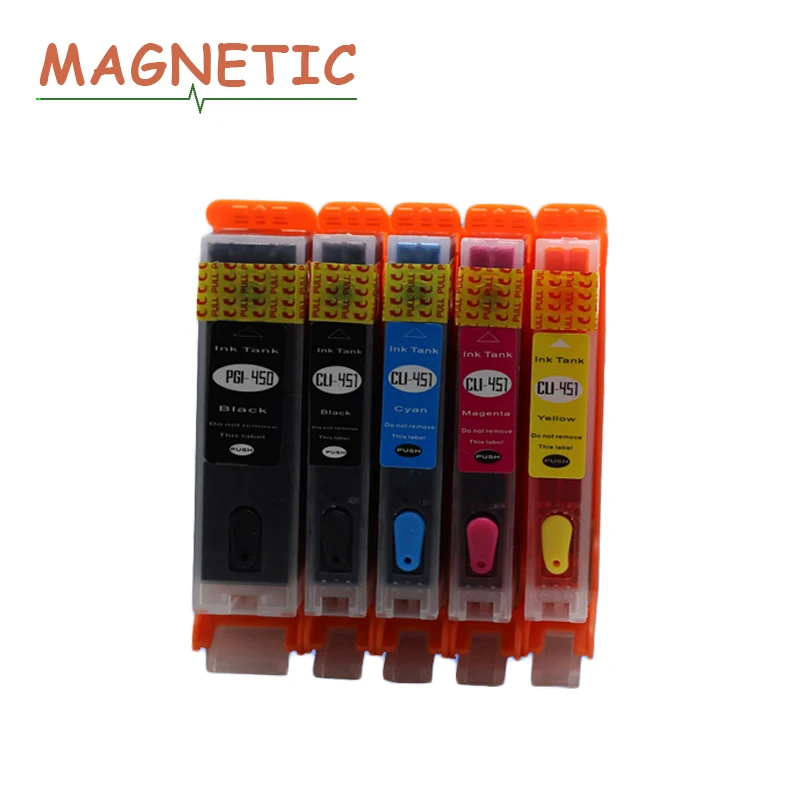
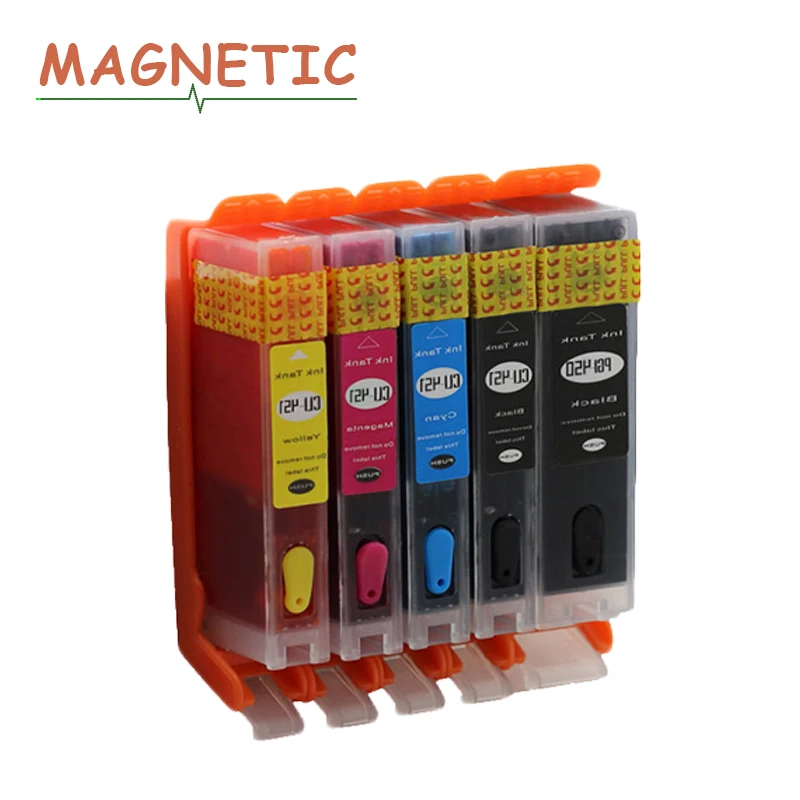
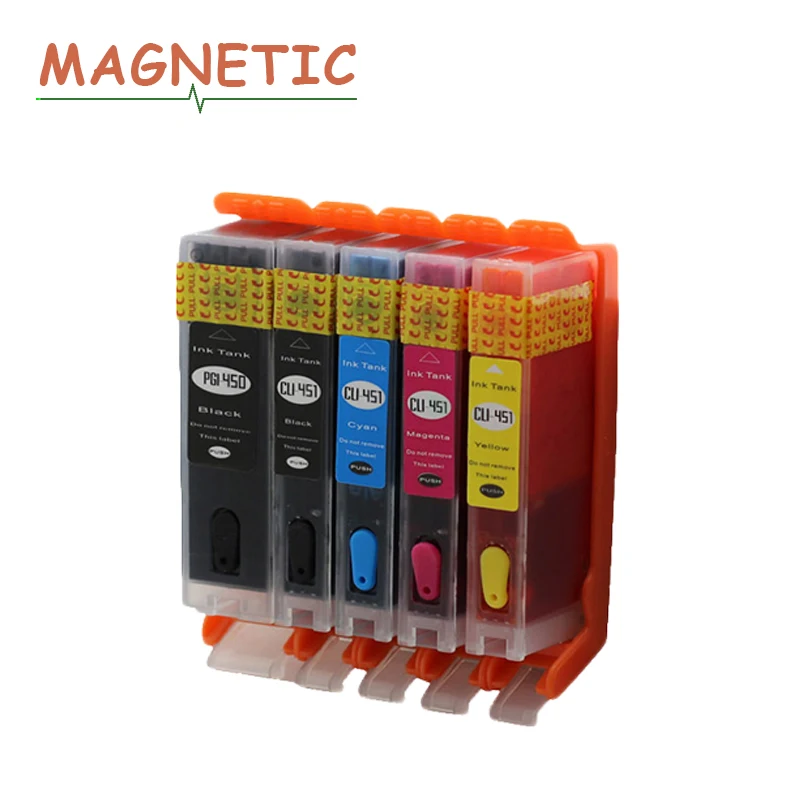
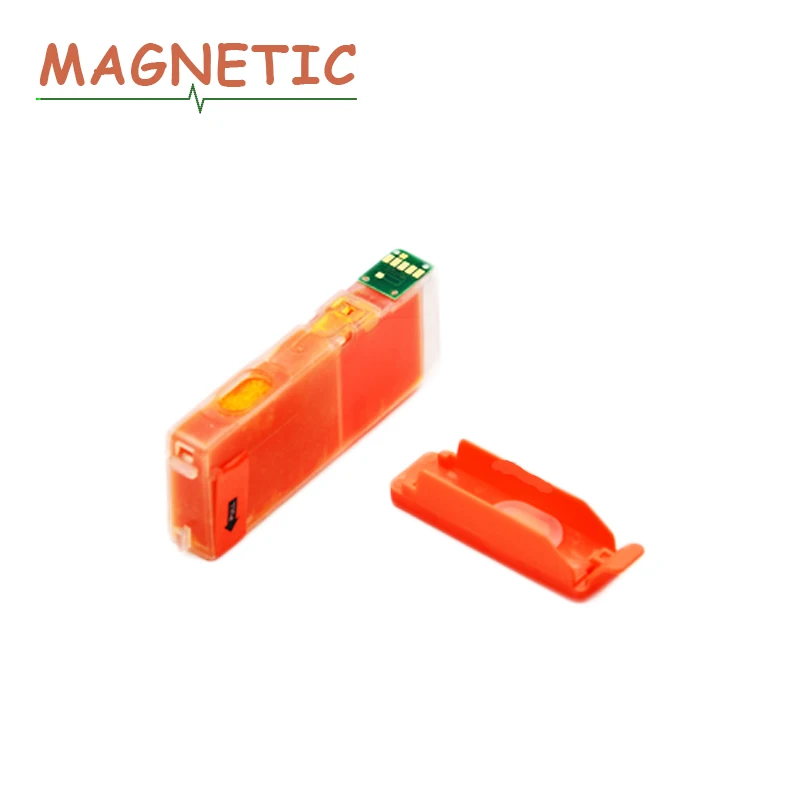
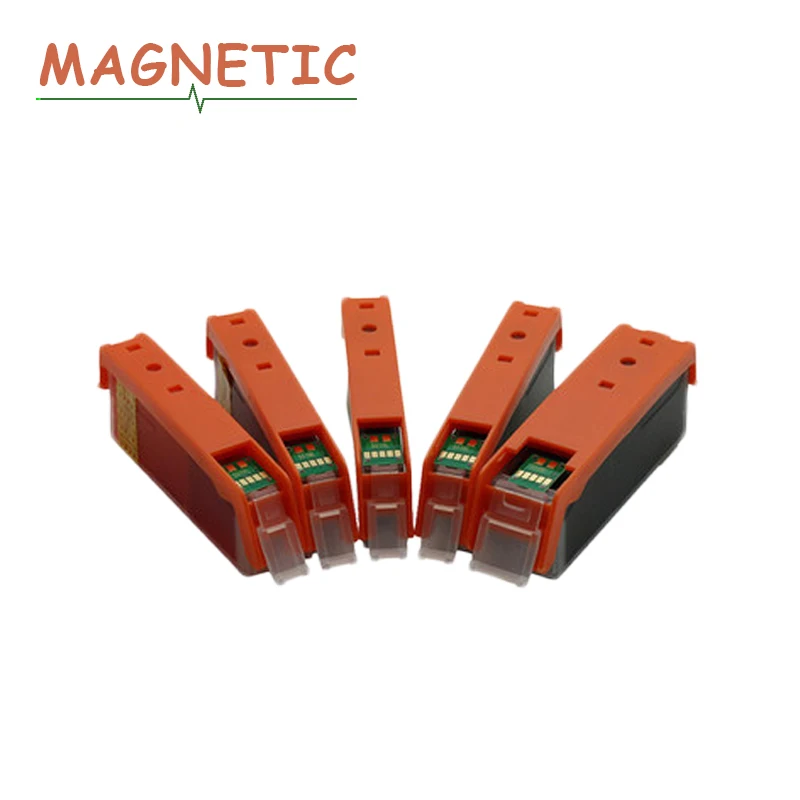
5pcs PGI 450 PGI-450 Refillable Ink Cartridge for Canon iP7140 iP7240 MG5440 MG5540 MG6440 MX924 iX6840 MG6340 iP8740 pgi450 | Компьютеры
История изменения цены
*Текущая стоимость 1 648,65 уже могла изменится. Что бы узнать актуальную цену и проверить наличие товара, нажмите "Добавить в корзину"
| Месяц | Минимальная цена | Макс. стоимость | Цена |
|---|---|---|---|
| Apr-03-2026 | 1961.75 руб. | 2059.11 руб. | 2010 руб. |
| Mar-03-2026 | 1945.37 руб. | 2042.56 руб. | 1993.5 руб. |
| Feb-03-2026 | 1632.24 руб. | 1714.19 руб. | 1673 руб. |
| Jan-03-2026 | 1912.84 руб. | 2008.5 руб. | 1960 руб. |
| Dec-03-2025 | 1664.53 руб. | 1747.44 руб. | 1705.5 руб. |
| Nov-03-2025 | 1879.71 руб. | 1973.0 руб. | 1926 руб. |
| Oct-03-2025 | 1862.48 руб. | 1955.18 руб. | 1908.5 руб. |
| Sep-03-2025 | 1846.44 руб. | 1938.8 руб. | 1892 руб. |
| Aug-03-2025 | 1829.41 руб. | 1920.19 руб. | 1874.5 руб. |
Описание товара
Compatible refill ink cartridge
5pcs PGI 450 PGI-450 Refillable Ink Cartridge for Canon iP7140 iP7240
MG5440 MG5540 MG6440 MX924 iX6840 MG6340 iP8740 pgi450
 Product Information
Model for Canon pgi450 cli451 refillable ink cartridge full
Color Black Cyan Magenta Yellow
Use For
For Canon iP7140 iP7240 MG5440 MG5540 MG6440 MX924 iX6840 MG7140 MG6340
iP8740 MG7540 iP7250 MG5450 MG5550 MG6450 MX925 iX6850 MG7150 MG6350
iP8750 MG7550 MG5640
Ink cartridge packing
5Pcs A Lot: 2BK+1C+1M+1Y
2 Black compatible ink cartridge
1 Cyan compatible ink cartridge
1 Mag compatible ink cartridge
1 Yellow compatible ink cartridge
Product pictures

Certification

Effect

Own factory

How to install

1. Take out the old ink box.
(1) Make sure the printer is started.
(Note: If you turn off the printer power when you change the cartridge in the opening of the cartridge door,
the cartridge cannot be removed from the printer. If the cartridge carrier does not stop safely when you
try to remove the cartridge, it is possible to damage the printer.)
(2) Open the cartridge door.
Wait for the ink carrier to move to the middle of the printer and stop completely.
Then press the ink cartridge down and take it out. Pull out the cartridge out of the slot.
If you remove the black ink cartridge are in order to install the photo cartridge,
please take the black cartridge in the cartridge protector or sealed plastic container.
2. Install the new ink cartridges.
(1) When confirmed the printer power is on, open the front cover. Move the ink box holder to the replacement position.
(2) Take the new ink cartridge out from the package and gently remove the orange protective tape in the direction of the arrow.
(Note: Please do not press the sides of the ink box vigorously so as to avoid ink leakage. Do not touch the ink port of the ink box
so as to avoid polluting the port, resulting in poor ink output.)
(3) Make sure the ink cartridge is properly installed.
(4) Close the front cover. Please wait until the ready operation is complete. It takes about 1 to 2 minutes.
Tips:
1. Keep the ink cartridges out of reach to children and do not drink or eat.
2. Don’t store the cartridges in freezing temperature or direct sunlight.
3. For best results, please use up all ink within 6 months after installation.
4. Make sure that your printer work once a week at least to keep printer-head clear.
NOTE:
1. Please buy the same ink cartridge model for your printer!!!
2. If you do not confirm the ink cartridge is compatible with your printer,
please kindly tell me your original model of your printer and your model of your printer.
User

Shopping guideline
Payment:
Currently, you can pay using Boleto, Visa, MasterCard, QIWI, Western Union, Maestro debit card, WebMoney
and bank transfer.More payment options will be available on AliExpress in the future.

How to pay?
Pls refer directly to:
http://activities.aliexpress.com/adcms/help-aliexpress-com/pay_order.php
Returns:
1. We do our best to serve our customers the best that we can.
2. We will refund you if you return the items within 7days of your receipt of the items for any reason.
However, the buyer should make sure that the items returned are in their original conditions.
Color Mismatch:
100% actual photos.Differences in color may be caused by some other reasons,Please in kind prevail.

Feedback: 
1. Your satisfaction and positive feedback is very important to us.Please leave feedback and 5 stars if you are satisfied with our items and services.
2. If you have any problems with our items or services,please feel to contact us first before negative feedback.We will do our best to solve any problems
and provide you with the best customer services.
How to leave a feedback?
Refer to : http://activities.aliexpress.com/adcms/help-aliexpress-com/feedback_suppliers.php
Shipment
1. We ship to worldwide, per order have a tracking number.
2. Item will be shipped within 2 business days after we received a verified payment.
3. If you have not received your items within 30 days after payment for postage delivery (like China Post), please let us know.
we will further track the parcel and reply you. Our goal is customer satisfaction!
4. We support most shipping ways: China Post Registered Air Mail, POS Malaysia,
ePacket.
|
|
Attention
1 Please do not compare the compatible ink cartridge with OEM ink cartridge.
2 Re-manufactured ink cartridge show "low ink" is not quality problems, it is normally.
Because the chip are still keep the status when the OEM ink cartridge used up.
3 When you buy compatible ink cartridge, please noted your printer updated or not?
If yes, please contact us before your purchase.
4 We will deliver the parcel in the first time.
5 We guaranteed your satisfaction was always in our first priority.
6 Hope you can contact us in the first time if you have any questions.
After sale
FAQ:
1.
-- Why the printer shows "NO ENOUGH INK" or "EMPTY" or the Indicator light “BLINKING”?
--It’s not quality problem. This is because the original company blocked the chip technology,
so remanufactured ink cartridge’s chip can not 100% show correct ink level.
Please ignore it and press "OK" button to continue printing, all our ink cartridges are filled with enough ink.
-- Why the printer shows “error e4” or "not recognize" or “failure”etc.?
-- First, Analyse the issue.
For this situation, usually has two reasons:
1. Not install well
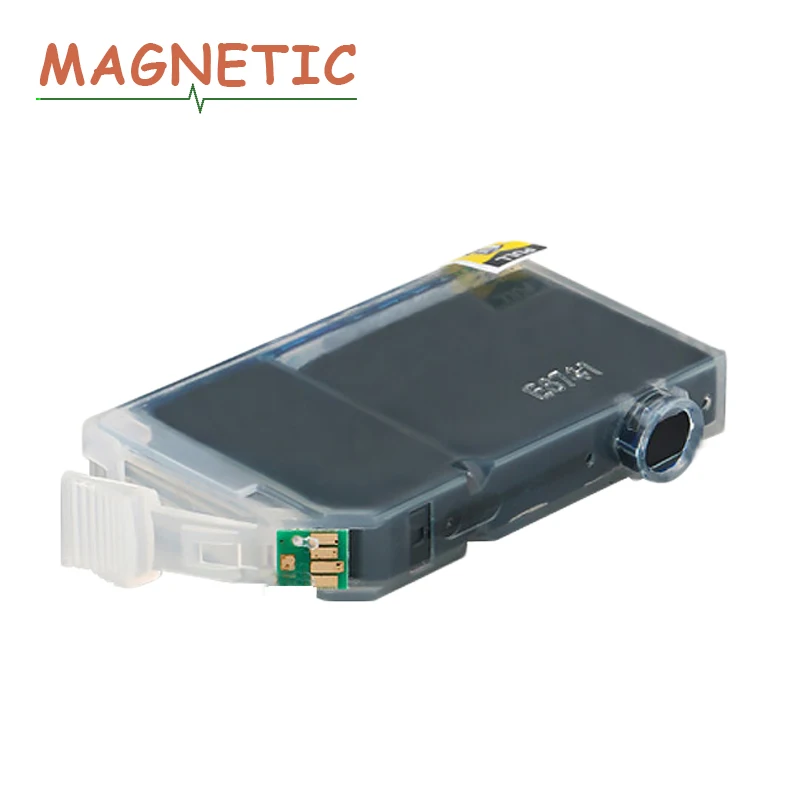
2. Ink cartridge chip dirty
Solution:
Step1: Take off the ink cartridge and re-install it. If issue still exist, go ahead.
Step2: Clean the ink cartridge chip (contactor points) with rubber or alcohol cotton swab.
Please clean it, then re-install, if not work, try clean again, and install again.
If necessary, clean also printer contactor points.
After 2 times, it still not work, PLEASE CONTACT US IMMEDAITELY for solution.
2. Logistics:
If you not receive your item in normal delivery time, please contact us ASAP.
3. Package:
If the product is damaged / ink leakage / wrong model / shortage, please CONTACT US FIRST before
leaving a negative feedback.
We accept no return the damaged item and resend you new one immediately.
4.
Our product price NOT INCLUDE Customer duties/Taxes/ Broker fees etc.
If you refuse to pay it and the product is returned, we’ll only give you REFUND MINUS THE SHIPPING COST!
If your order doesn't pay shipping fee, we'll give you REFUND MINUS 20% of your order price.
Смотрите так же другие товары: