


Новое поступление

Флеш-накопитель 4 в 1 USB 3 0 256/128/64/32/16 ГБ для iPhone/Android | Компьютеры и офис
338,61 - 1 263,34 руб.

Горячая Распродажа Visa банковская карта Usb флэш-накопитель HSBC кредитных карт Cle 2 0
187,53 - 1 195,77 руб.

Корабль с героями мультфильмов Новинка флеш-накопитель в виде единорога
198,16 - 358,35 руб.

Usb 3 0 флеш-накопитель с реальной емкостью 8 ГБ 16 32 usb 64 128 серебристая флеш-карта
299,13 - 1 277,01 руб.

Lexar 2019 модный высокоскоростной JumpDriveV40 16gb 32gb 64gb флеш-диск USB 2 0 64GB Memory stickpen drive |
USB флеш-накопитель SanDisk CRUZER CZ50 мини-флешка 2 0 128 ГБ 64 32 16 официальная проверка |
306,72 - 1 460,74 руб.

Лидер продаж ювелирные изделия USB-флеш-накопитель 12 созвездий 4 ГБ 8 16 32 64
447,18 - 1 680,15 руб.
Характеристики
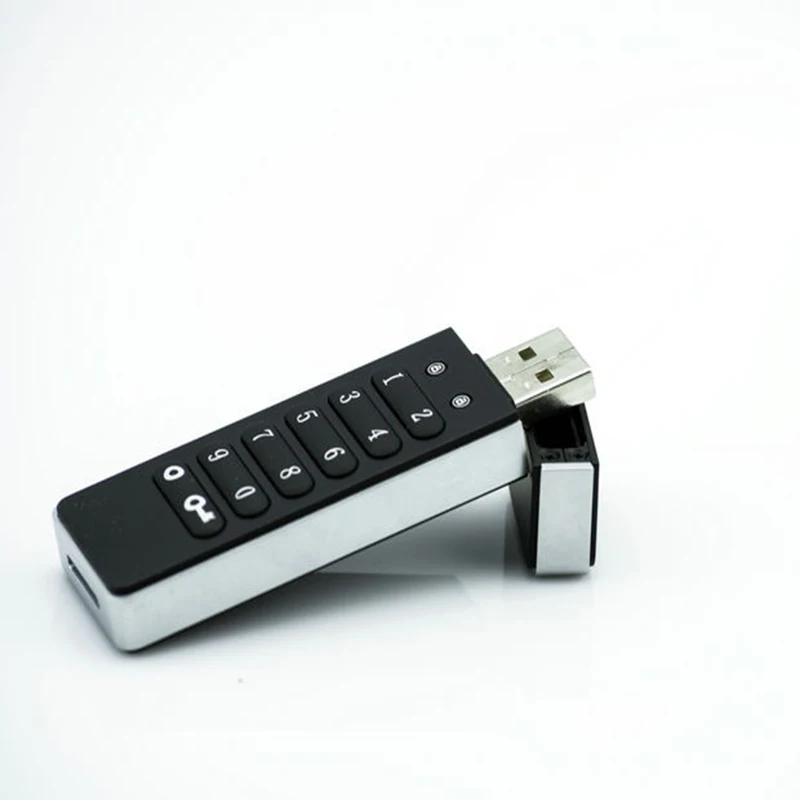
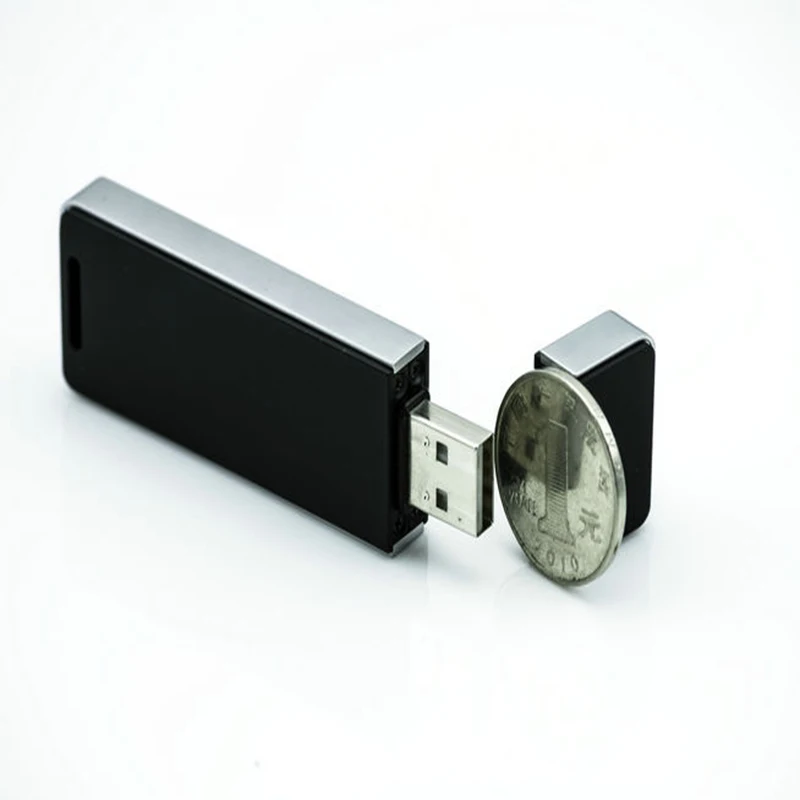
Encrypted USB 2.0 Flash Drive16GB Windows Password Key Secure U Disk Portable Hardware for Business and Private | Компьютеры и офис
История изменения цены
*Текущая стоимость уже могла изменится. Что бы узнать актуальную цену и проверить наличие товара, нажмите "Добавить в корзину"
| Месяц | Минимальная цена | Макс. стоимость | Цена |
|---|---|---|---|
| Apr-04-2026 | 0.65 руб. | 0.93 руб. | 0 руб. |
| Mar-04-2026 | 0.67 руб. | 0.65 руб. | 0 руб. |
| Feb-04-2026 | 0.60 руб. | 0.3 руб. | 0 руб. |
| Jan-04-2026 | 0.16 руб. | 0.36 руб. | 0 руб. |
| Dec-04-2025 | 0.2 руб. | 0.62 руб. | 0 руб. |
| Nov-04-2025 | 0.22 руб. | 0.0 руб. | 0 руб. |
| Oct-04-2025 | 0.79 руб. | 0.30 руб. | 0 руб. |
| Sep-04-2025 | 0.93 руб. | 0.99 руб. | 0 руб. |
| Aug-04-2025 | 0.34 руб. | 0.54 руб. | 0 руб. |
Описание товара

Encrypted Flash Drive 16GB Windows Password Key Secure U Disk Encrypted USB2.0 Portable Hardware for Business and Private
Special Features
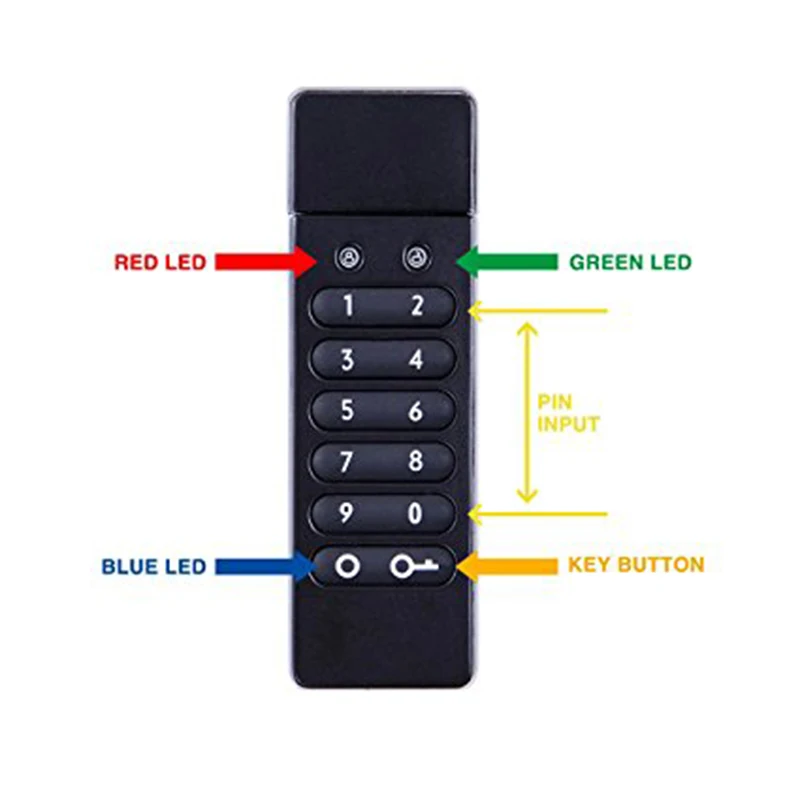
1.If no attaching to Pc within 30seconds,disk will be re-locked.
2.When PC in sleep mode,disk also in sleepmode.All indicators will be off.
3.After 10 consecutive incorrect PIN attemps,disk is reset and data will be erased.Now press key for 3 seconds,reset PIN and plug into PC will require reformatting.
4.Reset:press “9 “and hold the key simultaneously for 3 seconds.Enter 110 and then press key.Disk will be reset,return to default state,but PIN has been erased.For reuse disk,pls set a new PIN and reformat disk.

USB drive user
1.New Disk Initial PIN is 112233.
2.Press Key button(both red&green LED blink),PIN input.Press key(green LED blink) to confirm disk unlocked,plug into PC and start to use.Once pull out from PC, locks automatically.
3.Set PIN:After unlock by default PIN,press the key button for 3 seconds(both red&gree LED illuminate),enter a new PIN Press Key(red&greee blink in unison),re-enter the PIN Press key(green LED inlluminate),the new PIN is accepted and successful.Change PIN same as set PIN.


- By AliExpress Standard Shipping.
- The DHL shipping is not support remote areas.
- Please be sure to offer your Detail Name/Address/ Post code/telephone number.
- If you are stratified with our items, Please leave us your positive feedback.
- Please don't leave negative feedback before contacting with us. We will do all we can to solve your problems. Submit negative feedback is not late if the problem is not solved.
Смотрите так же другие товары: